Auto SL & TP Manager
Place a trade from your broker’s own mobile, web or desktop app. Within seconds this program sees the fill and arms it with a stop-loss, two targets and a trailing stop — then watches it to the close. MetaTrader is not required. ₹999/month.
The problem it solves
Most traders enter well and exit badly. You take the trade on your phone, mean to put a stop in, and then the market moves and you are managing it by hand — or worse, hoping.
The Auto SL & TP Manager removes that gap. It runs on your own machine, watches your broker account, and the moment a position appears it attaches the protection you decided on in advance. You keep trading exactly the way you already do; the exits stop being a decision you make under pressure.
What it does
- Arms every new position automatically — trades placed from your broker’s mobile app, website or desktop terminal are picked up and protected within seconds
- Stop-loss your way — previous candle low, a fixed number of points, a percentage, or low minus a buffer
- Two targets with a partial exit — book part of the position at Target 1, then the stop moves to cost so the rest of the trade is free
- Trailing from 0.01 — the stop follows price at whatever step you choose
- Resting or watched exits — place the exit as a live order sitting at the broker, or hold it locally and fire a protected market order when the level is hit. Your choice, per leg
- Combined profit-and-loss exit — close everything when the day’s total reaches your number, up or down
- Timed square-off to the second — set the exact time; stocks default to 15:00
- Telegram alerts at every step — armed, target hit, stop moved, squared off, so you know without watching the screen
- All Indian segments — NSE and BSE cash, NFO and BFO options and futures, MCX
What it looks like
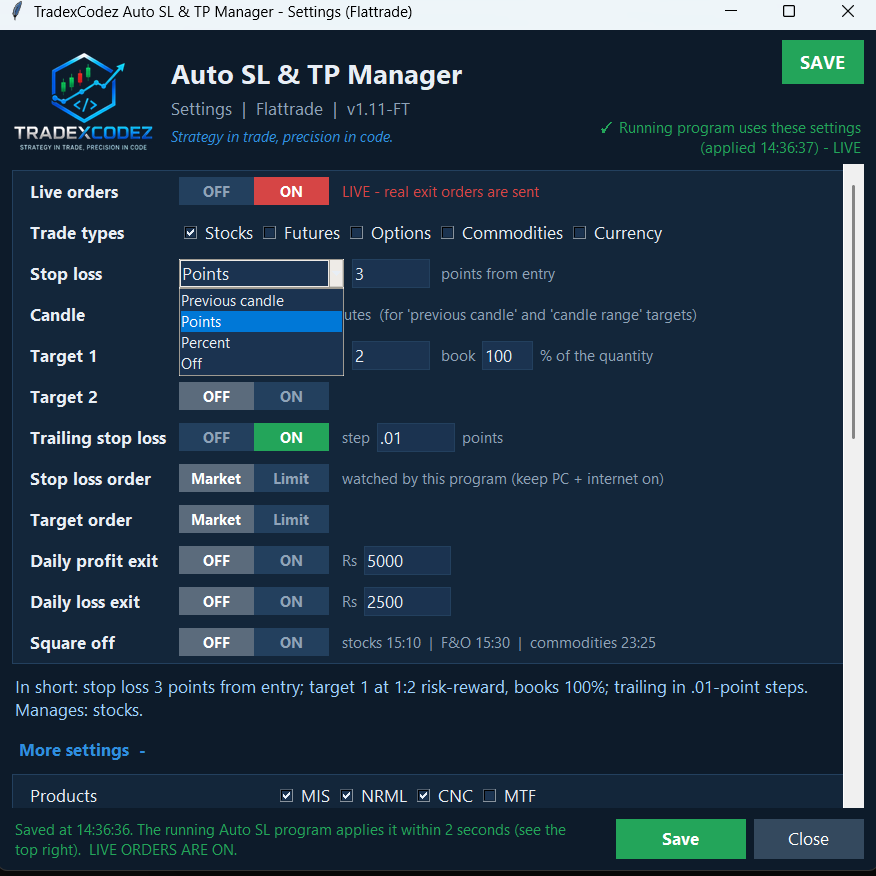
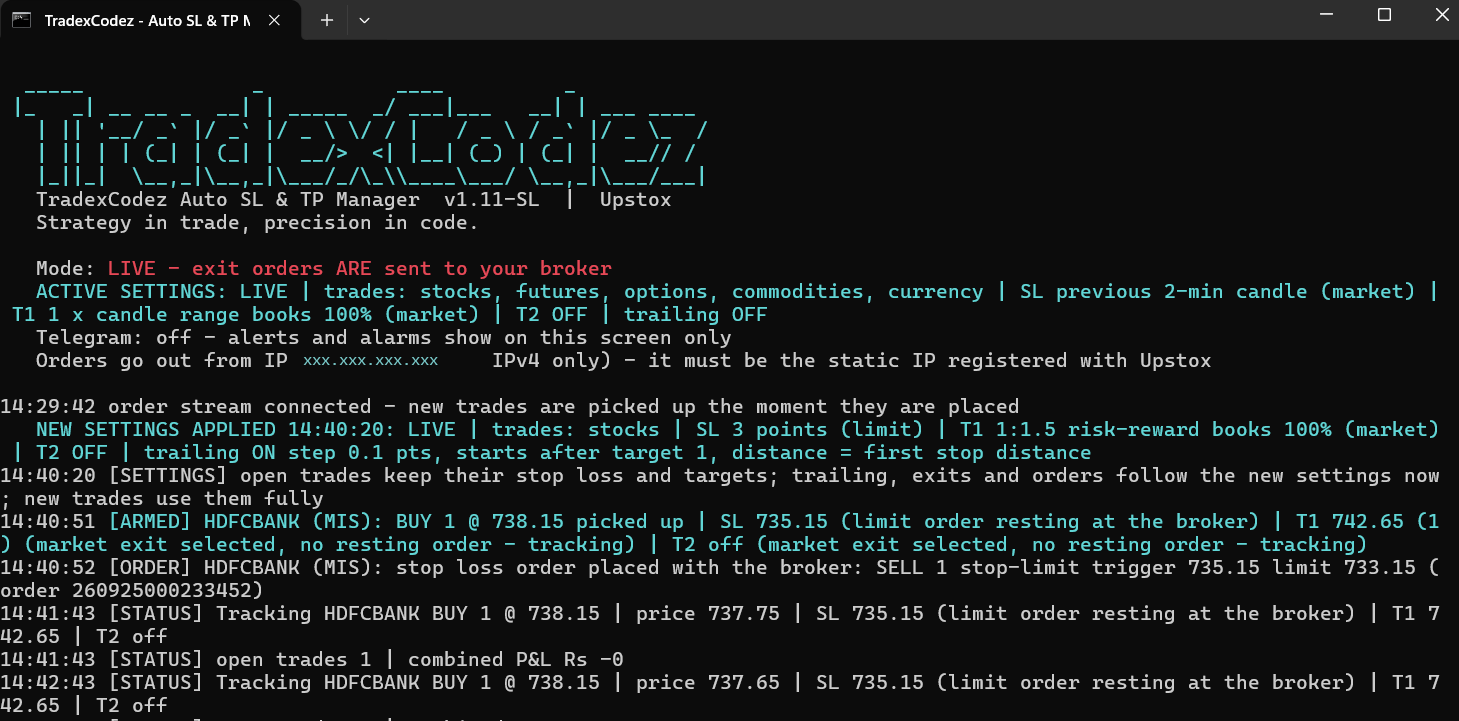
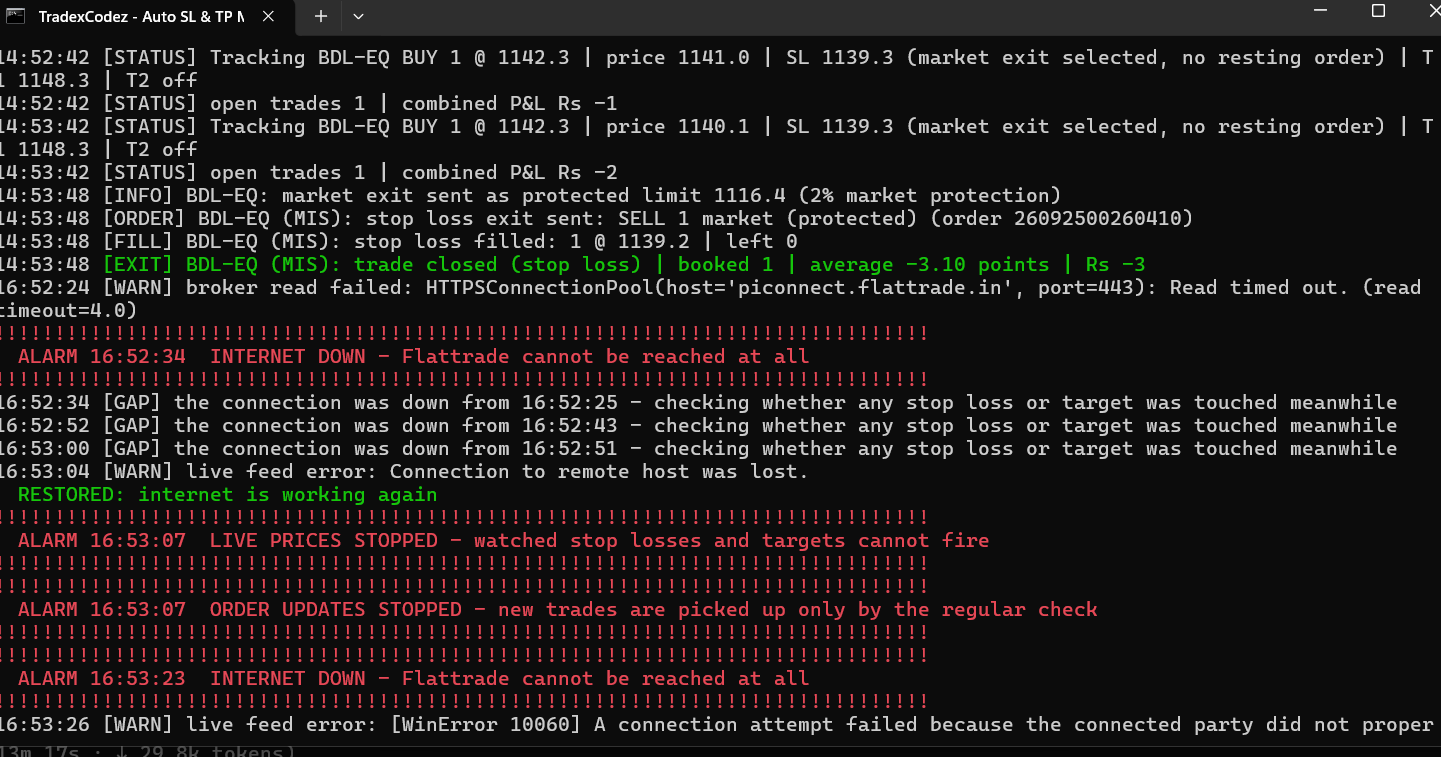
Screens from a real session on our own account. Figures shown are whatever the market did that day, not a promise of results.
Price
This is a separate product from the MT5 Bridge and does not require it. If you already run our Bridge, the two work side by side on the same machine.
See all products and plans on the bundles and pricing page.
Brokers
Every broker listed below has been run with real orders on our own account before being offered:
| Broker | Status |
|---|---|
| Flattrade | available |
| Upstox | available |
| Angel One | available |
| Fyers | available |
| Zerodha Kite Connect | coming shortly |
| Alice Blue | coming shortly |
One licence is configured for a single broker and stays with it for the life of the subscription, the same as our other products.
What you need
- An account with a supported broker, with API access enabled — free of charge at Flattrade, Upstox, Angel One and Fyers
- Windows 10 or above · Core i3 or above · 4 GB RAM or above
- Static IP — required for order placement, per SEBI’s algorithmic trading framework
- A Telegram account if you want the step-by-step alerts — optional
- A TradexCodez licence for the Auto SL & TP Manager
Common questions
Do I need MetaTrader 5 for this?
No. The Auto SL & TP Manager talks to your broker directly and works entirely on its own. It is a separate product from the TradexCodez MT5 Bridge, though the two run happily on the same machine.
Does it place trades for me?
No. You place your own entries, wherever you normally place them. This program manages the exits on positions you have already taken — the stop-loss, the targets, the trailing and the square-off.
What happens if my internet or power drops?
If you choose resting exits, the stop and target orders are sitting at the broker and remain in force whether your machine is on or not. Watched exits are held locally and need the program running, which is why we let you pick per leg.
Do I need a Static IP?
Yes, for placing orders, in line with SEBI’s algorithmic trading framework. Your broker registers it against your API app.
Has it been tested with real money?
Yes. Every broker listed as available has been run with real orders on our own trading account, and the exit logic is exercised by an automated test suite of tens of thousands of simulated trades before each release. We would rather find a fault on our money than on yours.
Is TradexCodez affiliated with my broker?
No. We are an independent software company. Your broker is one of several our software connects to using their published API. We are not partnered with, endorsed by or affiliated with any of them.
Interested?
Tell us which broker you trade with and we will show you the program running on a live account before you pay anything.
Trading in securities and commodities carries risk of loss. This software manages orders you choose to place; it does not give advice, predict prices or guarantee any outcome.
