One-Click Order Execution for MT5 — NSE, NFO & MCX
TradexCodez AIO OCT
Trade directly from your MT5 charts — one-click entries, exits, OCO protection and drag-and-drop stop management. Precision execution, built for Indian options and futures traders.
What AIO OCT does on your MT5 charts
- One-click order placement — fire entries straight from your MT5 chart, select lots/quantities in a single click
- One-click order cancel — cancel a working order instantly
- Auto-cancel pending orders — automatically cancels a pending order if it isn't executed within your defined number of seconds
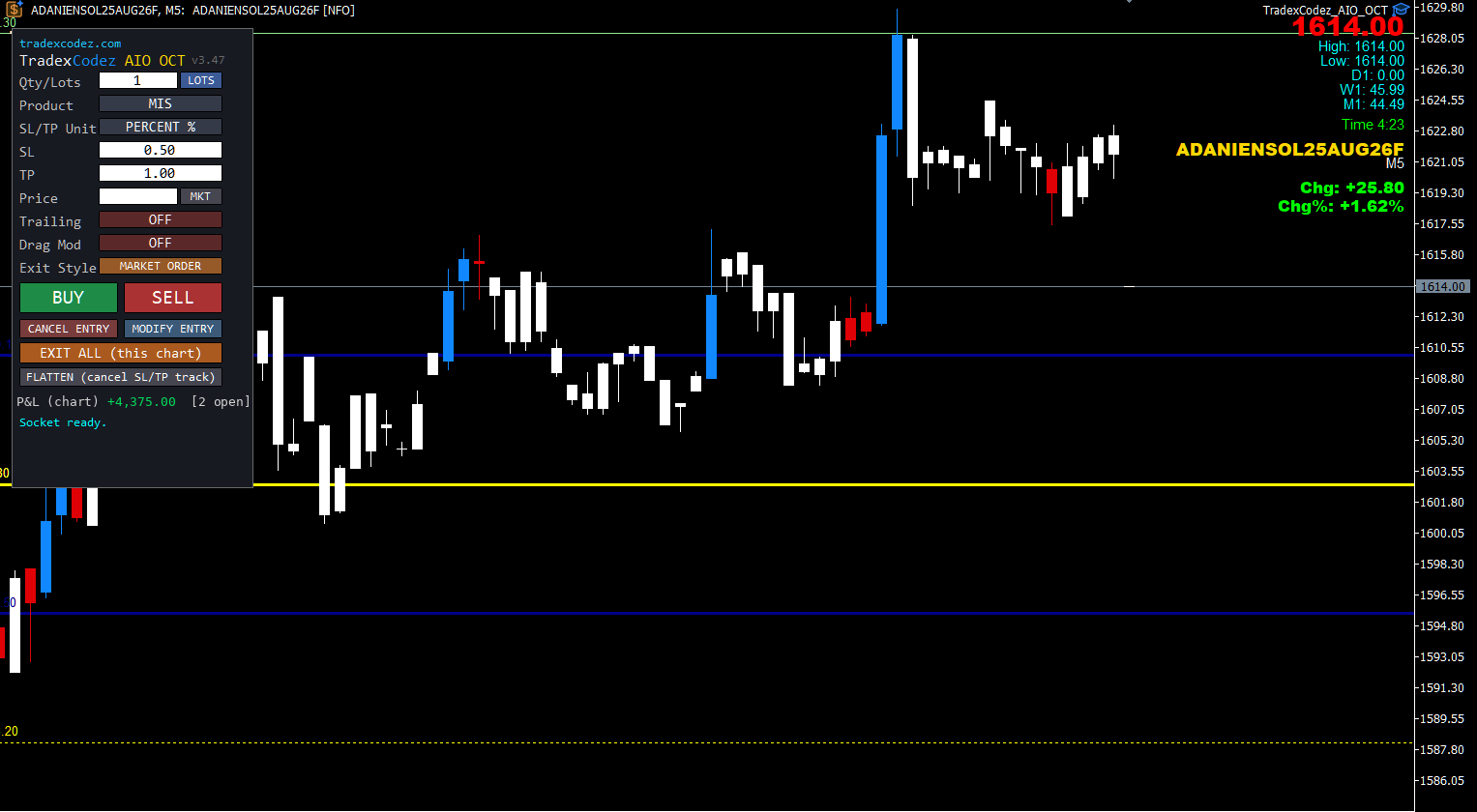
- Predefined SL / TP — set stop-loss and target in % or points, whichever you prefer
- Choose exit order type — exit via limit or market order (note: limit orders for options require more margin, as both SL and TP are placed)
- OCO — One-Cancels-Other — when one leg fills, the other is cancelled automatically
- Custom trailing — trail from 0.01 paisa to any value, with the action visible live on your chart
- One-click exit — cancels the OCO and exits at market price instantly
- Drag-and-drop SL / TSL / TP — modify levels using the lines on your chart; just drag and drop, and OCT handles the adjustments
- One-click order modify — adjust a working order in a single click
New: a 20-point NIFTY option trade, start to finish
One click to enter, stop-loss and trailing stop attached on fill, the trail stepping up behind price, and the target taking the trade out on its own — a full 20-point move on a live NIFTY option, recorded as it happened.
Watch AIO OCT place a protected trade
Fifty seconds, one real trade: one click to enter a NIFTY option, stop-loss, target and trailing stop attach themselves, the trail steps up behind price — and the trade exits on its own the moment the target is touched.
One-click order execution on a live MT5 chart — see it running
Protection and trailing, exactly as you set them
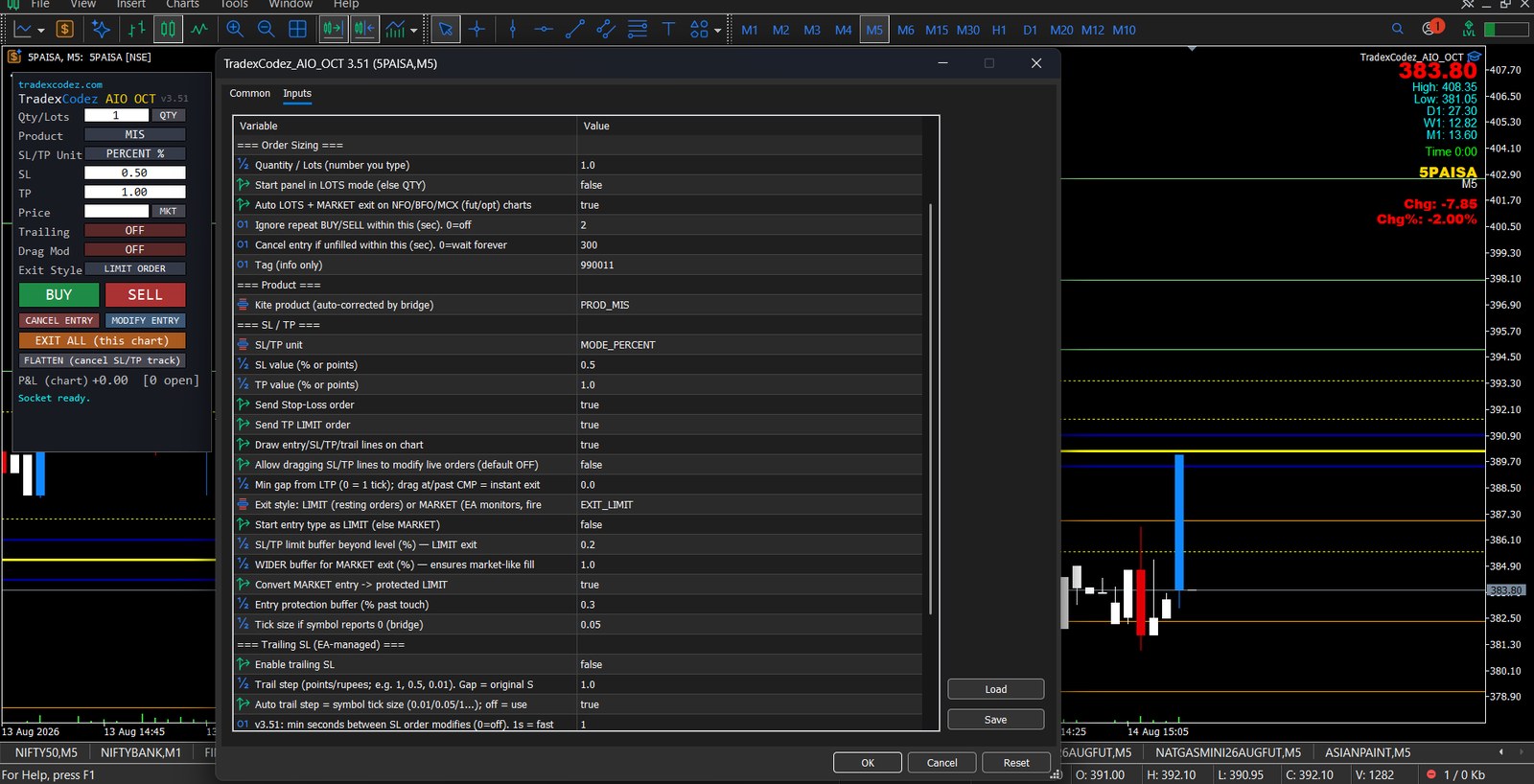
Nothing about the exit logic is fixed. Stop-loss and target can be expressed in percent or points, exits can rest as LIMIT orders or fire at MARKET, a market entry can be converted into a protected LIMIT, and the trailing step goes down to 0.01 — or follows the symbol's own tick size automatically.
Prefer to place trades from your broker’s own app rather than MetaTrader? The Auto SL & TP Manager attaches a stop-loss, targets and trailing to positions you open there.
AIO OCT pricing
₹1,999 / month — Pro (Bridge + AIO OCT)
₹2,999 / month — Premium (Bridge + all three OCT tools) · see all bundles →
What you need to run AIO OCT
- MetaTrader 5 on Windows
- Zerodha Kite Connect data + API active subscription
- Static IP (per SEBI requirement) — required for order execution
- TradexCodez MT5 Bridge — for live data and charting (see the Bridge →)
📘 Training Guide
A complete, illustrated walkthrough of the AIO OCT panel — setup, every input explained, placing your first trade, exit styles, trailing and drag-to-modify, EXIT ALL and FLATTEN, auto square-off, paper trading, and troubleshooting.
Open the full Training Guide →